
CCA Site Health Advisor Plugin for WordPress
Understand Your Website. Improve Your Website.
CCA Site Health Advisor is a practical WordPress plugin designed to help website owners, developers and agencies quickly identify issues that may be affecting performance, security, SEO and ongoing maintenance.
Built from real-world experience managing and maintaining websites, this plugin was created to answer a simple question:
“Is my website healthy?”
Rather than overwhelming you with technical jargon, CCA Site Health Advisor provides clear, actionable recommendations to help you understand what is working well and what needs attention.
Why Website Health Matters
- Outdated plugins and themes
- Unsupported PHP versions
- Missing backups
- Security weaknesses
- SEO configuration issues
- Plugin conflicts and bloat
- Poor maintenance practices
Left unchecked, these issues can lead to reduced performance, security vulnerabilities and lost business opportunities.
CCA Site Health Advisor helps you spot these problems before they become costly.Key Features
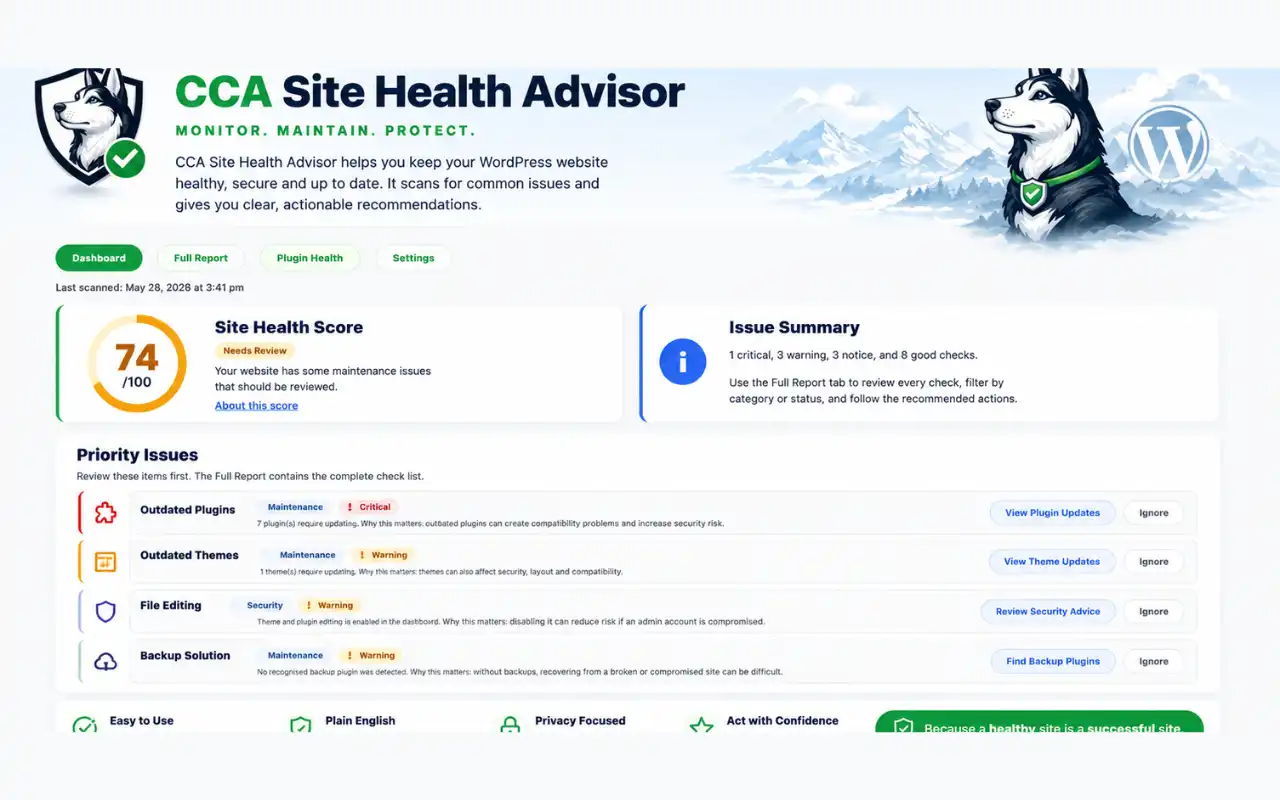
Site Health Score
Receive an easy-to-understand overall health score for your website, giving you an instant snapshot of how your site is performing.
Security Checks
Identify common WordPress security concerns including:
- Weak administrator usernames
- File editing enabled within WordPress
- Missing security best practices
- Plugin update issues
SEO Checks
Ensure your website is configured correctly for search engines with checks including:
- Search engine visibility settings
- SEO plugin detection
- Privacy policy presence
- Cookie consent compliance
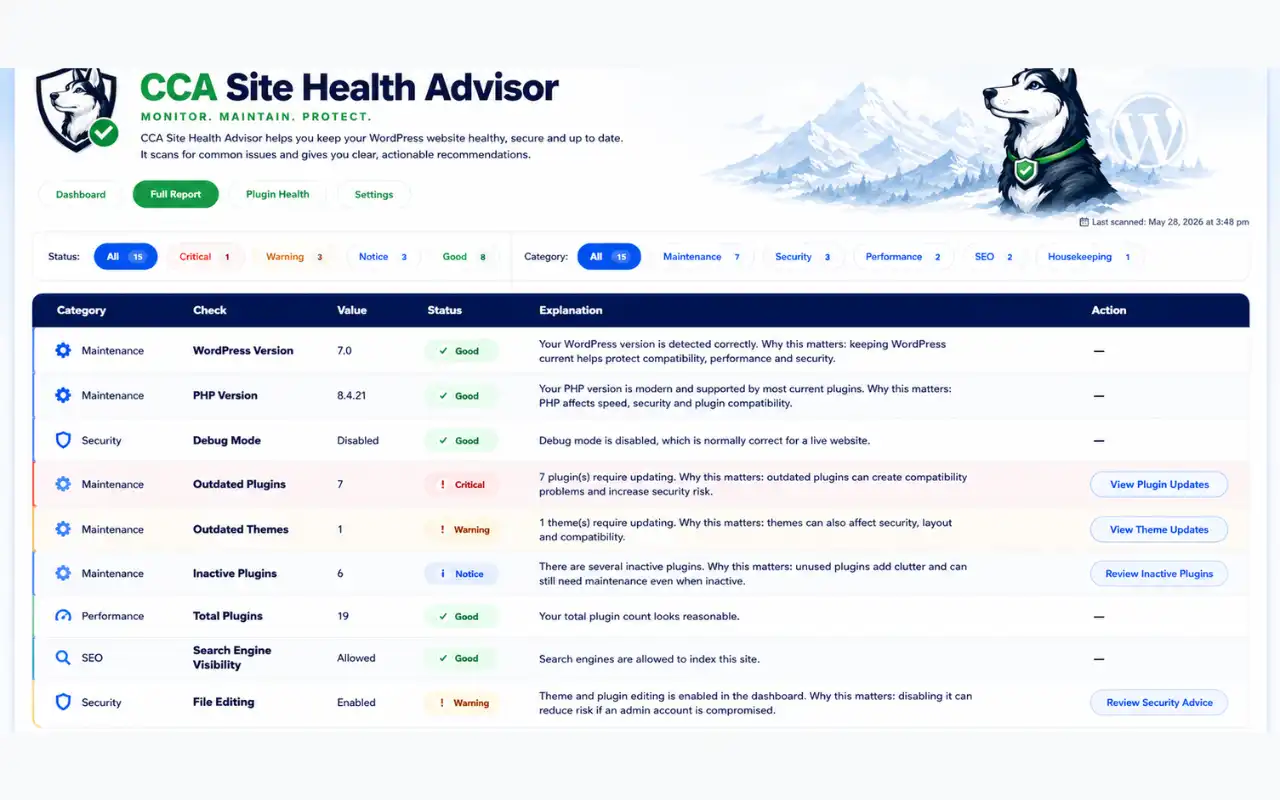
Performance & Maintenance Checks
Monitor factors that can affect website speed and reliability:
- PHP version
- WordPress version
- Plugin count
- Outdated plugins
- Outdated themes
- Caching plugin detection
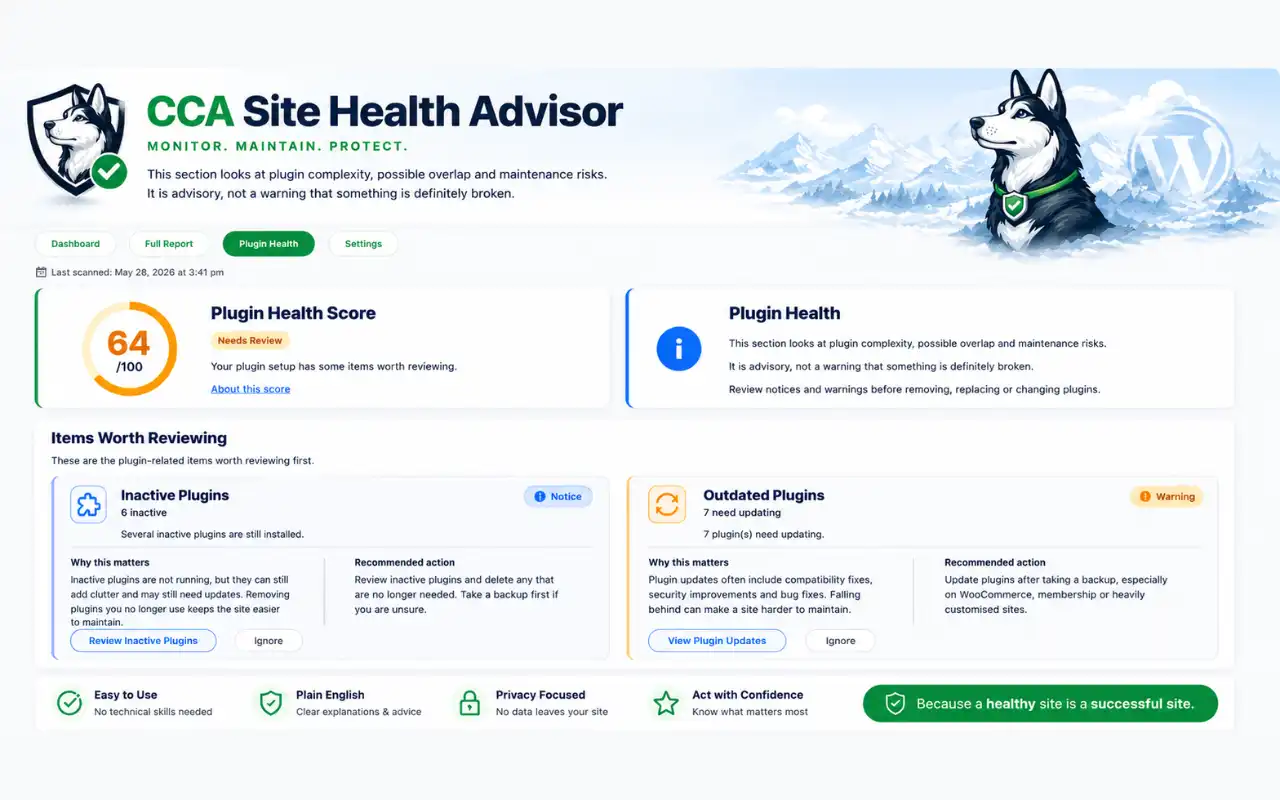
Plugin Health Analysis
Gain greater visibility into your WordPress installation with dedicated plugin health insights, including:
- Inactive plugins
- Potential plugin bloat
- Duplicate functionality
- Page builder and add-on analysis
Plain English Recommendations
Every issue includes a clear explanation of:
- Why it matters
- The potential impact
- Recommended next steps
No technical expertise required.
Built by Someone Who Manages WordPress Websites
CCA Site Health Advisor was developed whilst building, managing and maintaining websites for businesses across a wide range of industries.
Over the years, the same problems kept appearing again and again. Outdated software, missing backups, poor security settings, plugin overload and SEO issues were costing businesses time, money and opportunities.
This plugin brings together the checks I perform regularly when reviewing client websites and makes them available in a simple, easy-to-use dashboard.
Who's it For?
Website Owners
Understand the health of your website without needing technical knowledge.
Freelance Developers
Quickly audit client websites and identify improvement opportunities.
Digital Agencies
Perform faster website reviews and provide more consistent maintenance reporting.
WordPress Beginners
Learn about website maintenance and best practices through clear guidance and recommendations.
Frequently Asked Questions
What is a WordPress site health plugin?
How can I check the health of my WordPress website?
Why is website health important for SEO?
Does CCA Site Health Advisor improve website speed?
Can CCA Site Health Advisor identify security issues?
Will this plugin tell me if my plugins need updating?
Can beginners use CCA Site Health Advisor?
How often should I check my WordPress website health?
What is the difference between the free and premium versions?
Can too many plugins slow down a WordPress website?
What is a good WordPress site health score?
Does CCA Site Health Advisor work with any WordPress theme?
Download
Our Other Plugins
- Site Health Advisor
- Open Status
- Floating Buttons
Screen Shots
Getting Started
Installing CCA Site Health Advisor
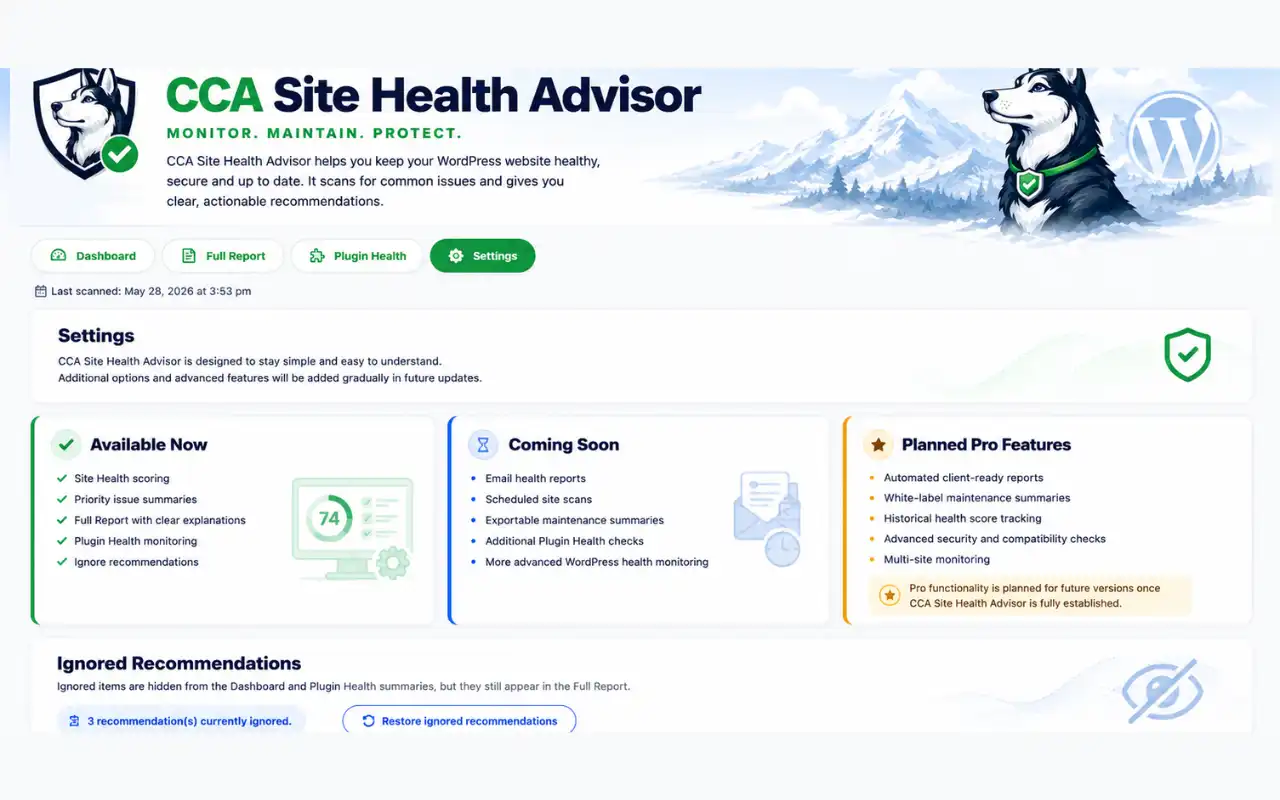
Free Version Features
- Site Health Score
- Security Checks
- SEO Checks
- Performance Checks
- Plugin Health Analysis
- Maintenance Recommendations
- Priority Issue Detection
- Detailed Health Reports
Premium Version
The Premium version hasn’t been released yet, but is planned to include additional monitoring, advanced reporting, and enhanced diagnostics to help website owners and agencies gain even deeper insight into their WordPress websites.
Support & Documentation
CCA Site Health Advisor has been designed to be simple to use, with clear recommendations shown directly inside your WordPress dashboard.
If you need help installing the plugin, understanding a recommendation, or reporting a potential issue, support is available through the plugin support page.
Before contacting support, please include:
- Your WordPress version
- Your PHP version
- The plugin version
- A brief description of the issue
- Any error messages shown on screen